QR code app for iPhone Make QR codes wherever you are.
The app from qrmacher.de: Wi-Fi for your café, your contact card, a link to the menu. With logo and frame, ready to share and print. No account, no ads, and nothing leaves your iPhone.

Free · iOS 26 or later · English and German
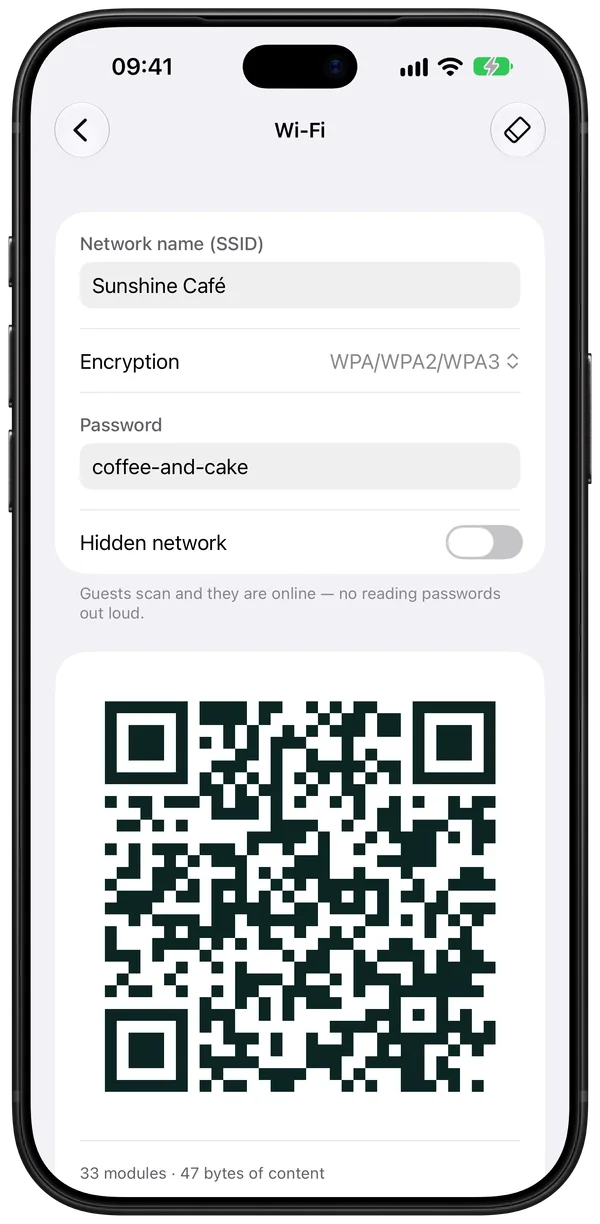
Guest Wi-Fi
Sunshine Café
Point your camera, and you’re online.
What you can count on
-
No account
Open it and start. No sign-up, no email address.
-
No ads, no subscription
Free, without banners and without a trial that runs out.
-
No data collected
No tracking, no server. The App Store label says so too.
-
Works offline
Codes are made on the iPhone. In the basement, on the train, on site.
Nine kinds of codes
For everything people want to scan.
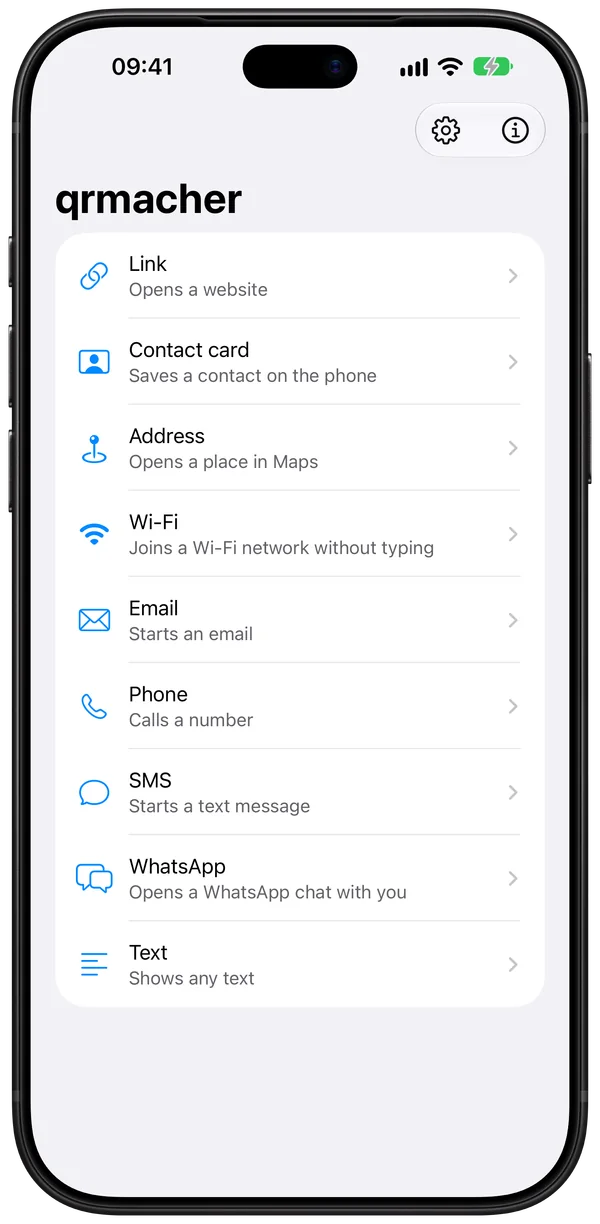
On the start screen you tap what the code should do. The app only asks for what it needs and builds the code as you type.
-
Link opens a website, such as your menu more
-
Contact card saves your contact on the phone more
-
Wi-Fi guests get online without typing a password more
-
Address opens the place in Maps more
-
WhatsApp opens a chat with you, with a message if you like more
-
Email a ready-made email to you, with subject
-
Phone one tap and your phone rings
-
SMS a message with pre-filled text
-
Text plain text, such as a serial number
Design
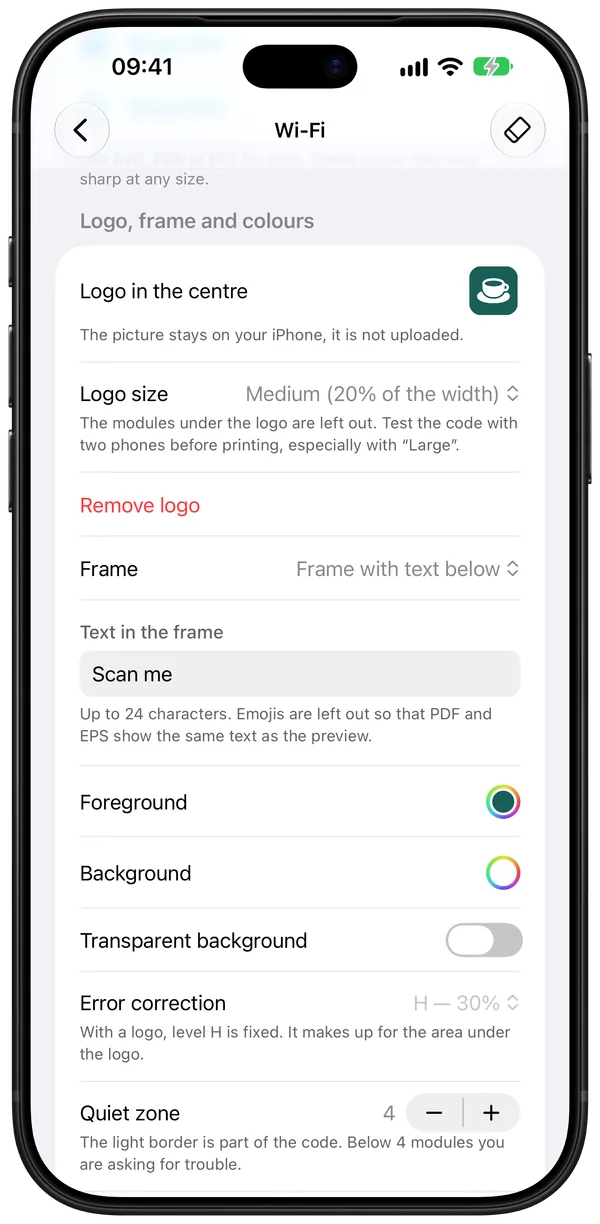
Your logo, your colour, “Scan me” around it.
A code may look like you. The app makes sure it still scans.
- Foreground and background colour, transparent too
- A warning when the contrast is too low to scan
- Your logo from Photos in the centre of the code
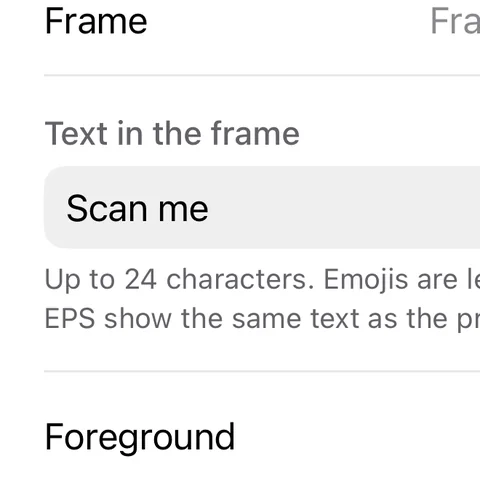
- A frame with text: below, or as a speech bubble above
- Adjustable error correction and quiet zone
Four steps to the café code
This is how the Sunshine Café code comes together. Tap a step or just watch.
Output
PNG for sharing, vector for the print shop.
The finished code goes straight into Messages, Mail or Photos. For print there are three vector formats that stay sharp at any size, from a label to a site hoarding.
- PNG
- 512, 1024 or 2000 pixels, to share or save to Photos
- for print shops and office apps
- SVG
- for websites, Figma, Illustrator, Inkscape
- EPS
- for older layout programs
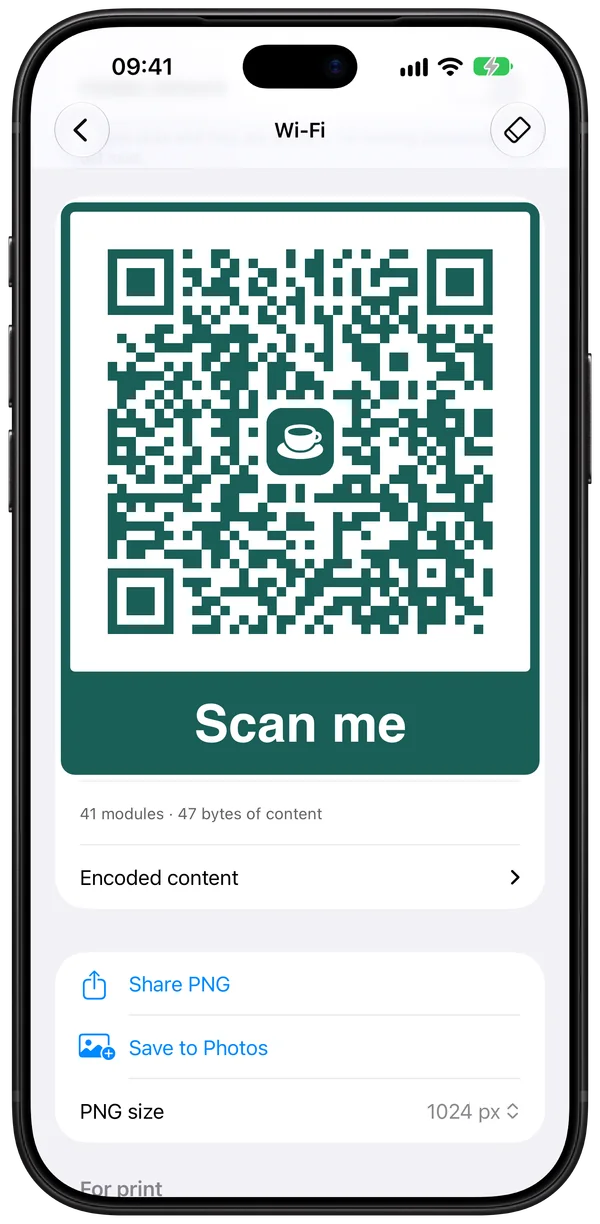
New in version 1.0.3
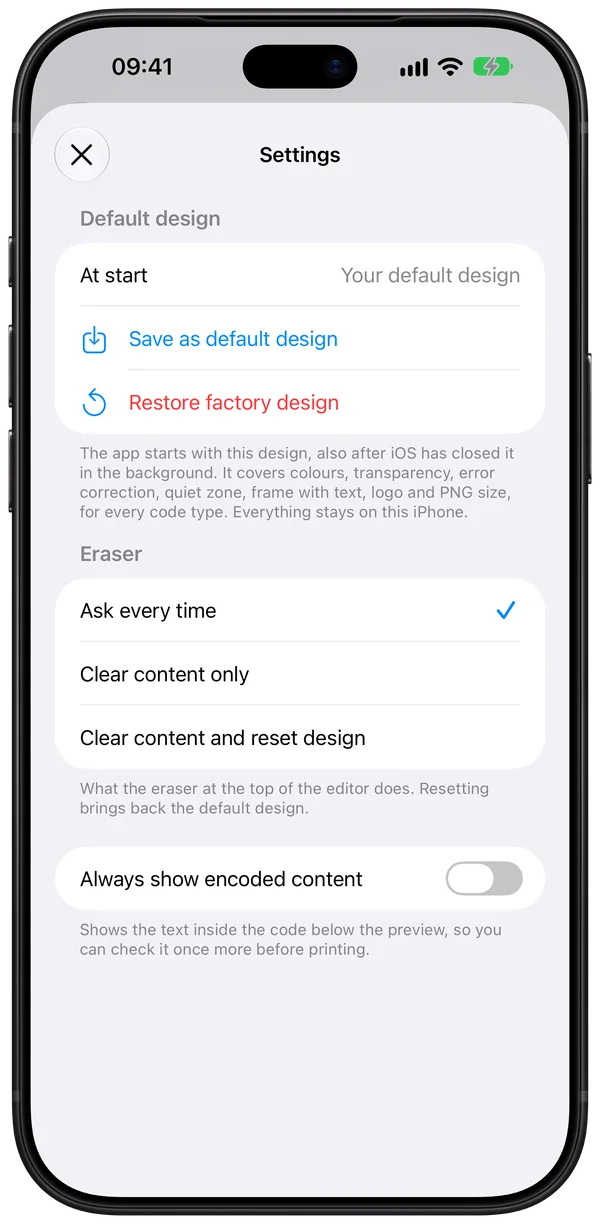
Set it once, and it’s back every time.
Behind the gear on the start screen. Built from a tester’s wishes.
- Save your design, logo included, as the default. It applies every time the app starts.
- The eraser asks: clear just the content, or reset the design too?
- Keep the encoded content visible if you like, to double-check it.
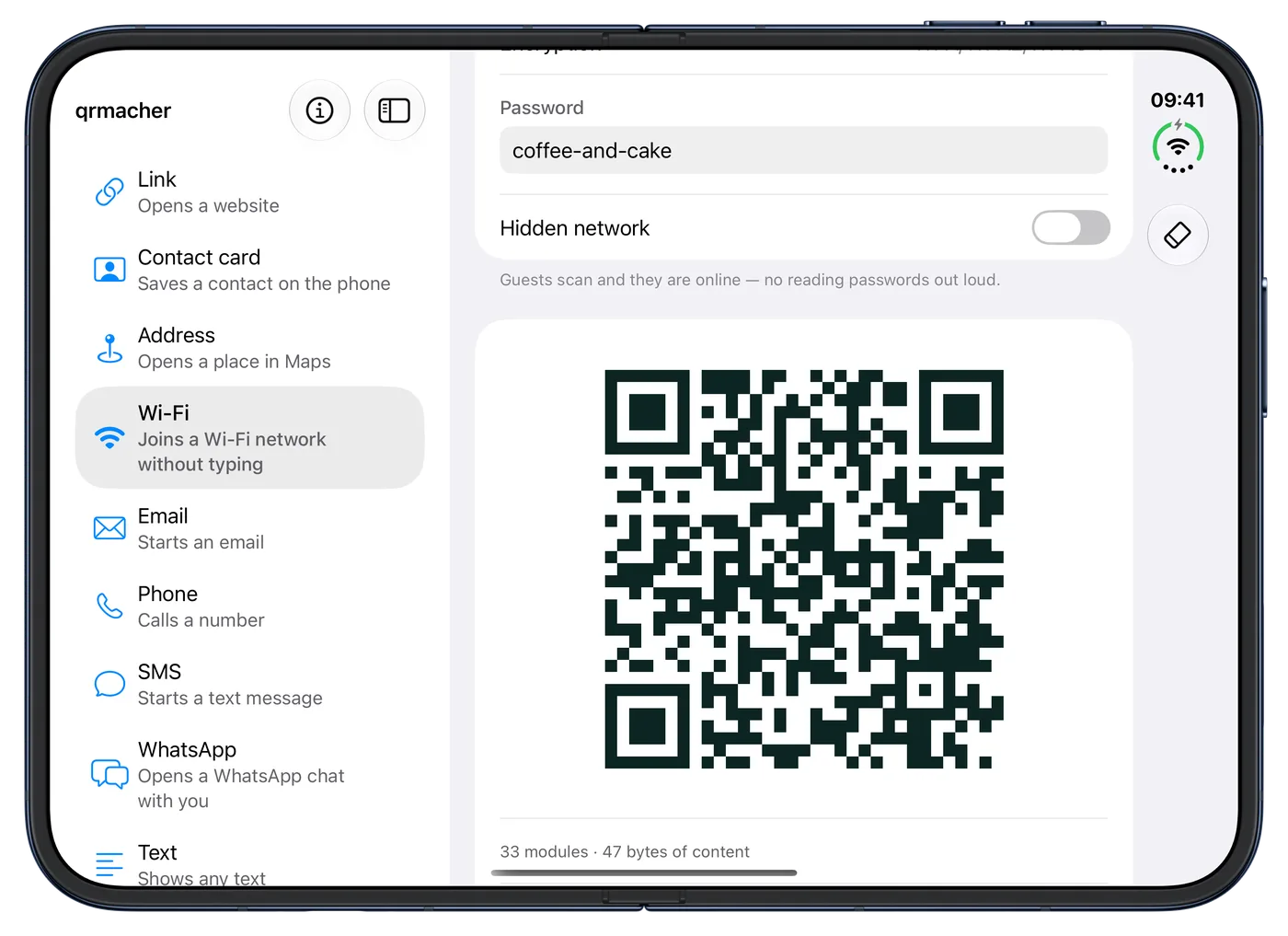
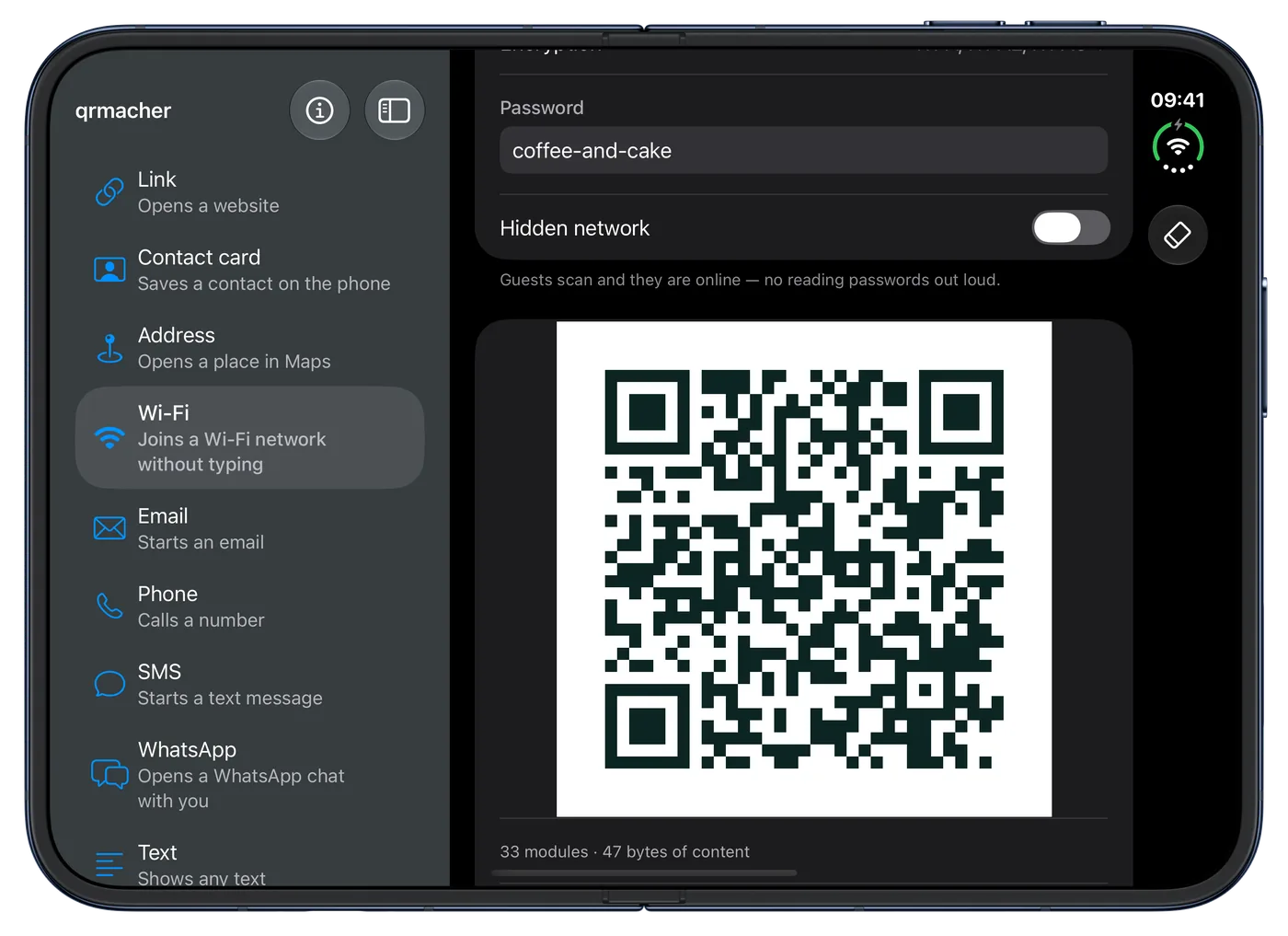
iPhone Duo
Made for iPhone Duo too
Unfolded, the code types sit on the left and your code takes shape right next to them. Folded, the app works like on any iPhone.
Permanent and private
Codes that never expire. An app that keeps no records.
Valid as long as there are cameras
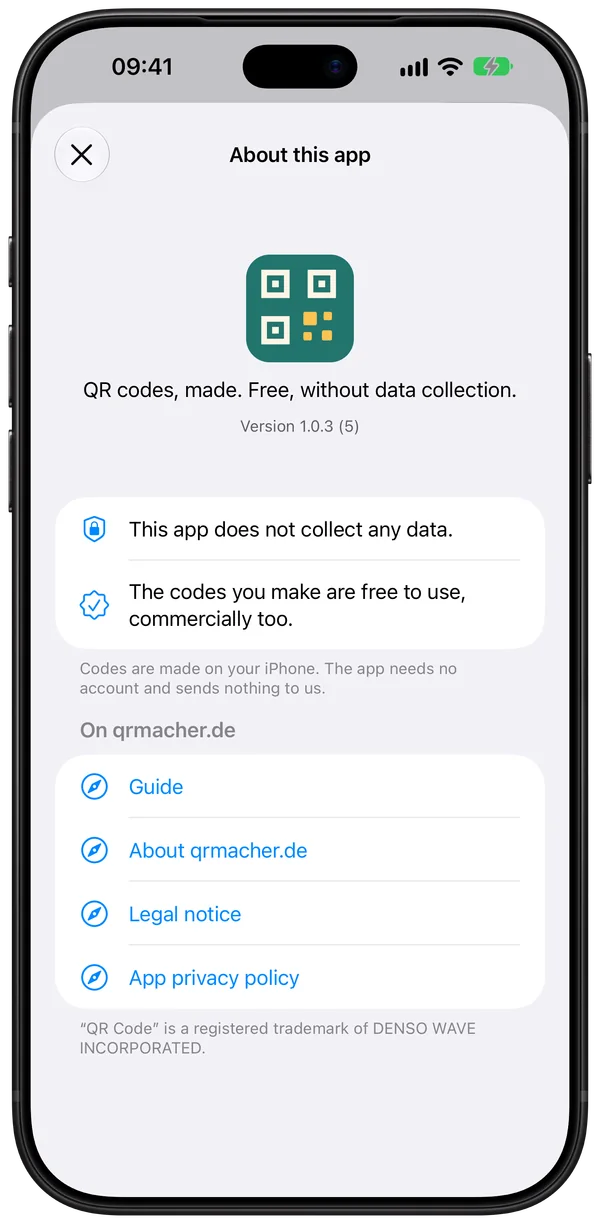
The codes are static: the content sits in the code itself, not behind a redirect. They never expire and keep working even if the app is gone one day. You are free to use them, commercially too.
No data collected
No account, no server, no tracking. The app only accesses your photos when you pick a logo. To save a code, it may only add images, never view them.
In the works: qrmacher Pro
For everyone who makes lots of codes.
Version 1.1 is almost done. Pro comes as a one-time purchase inside the app, with no subscription and no account. Everything the app does today stays free.
Preview These pictures come from the test version. Details may still change before launch.
-
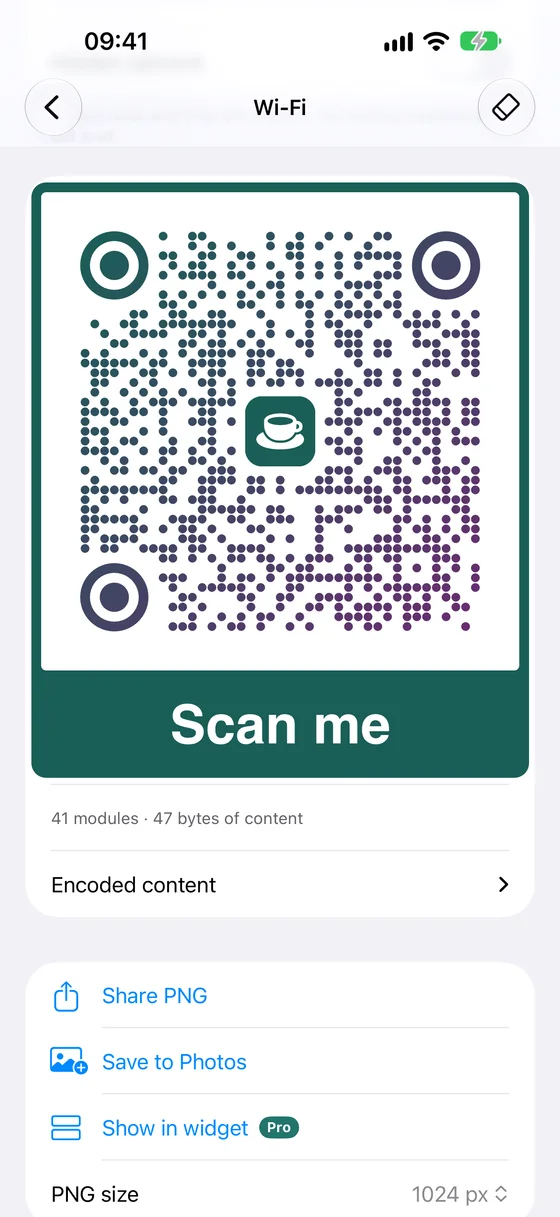
Design styles
Rounded modules, custom finder patterns, colour gradients. Identical in PNG, PDF, SVG and EPS.
-
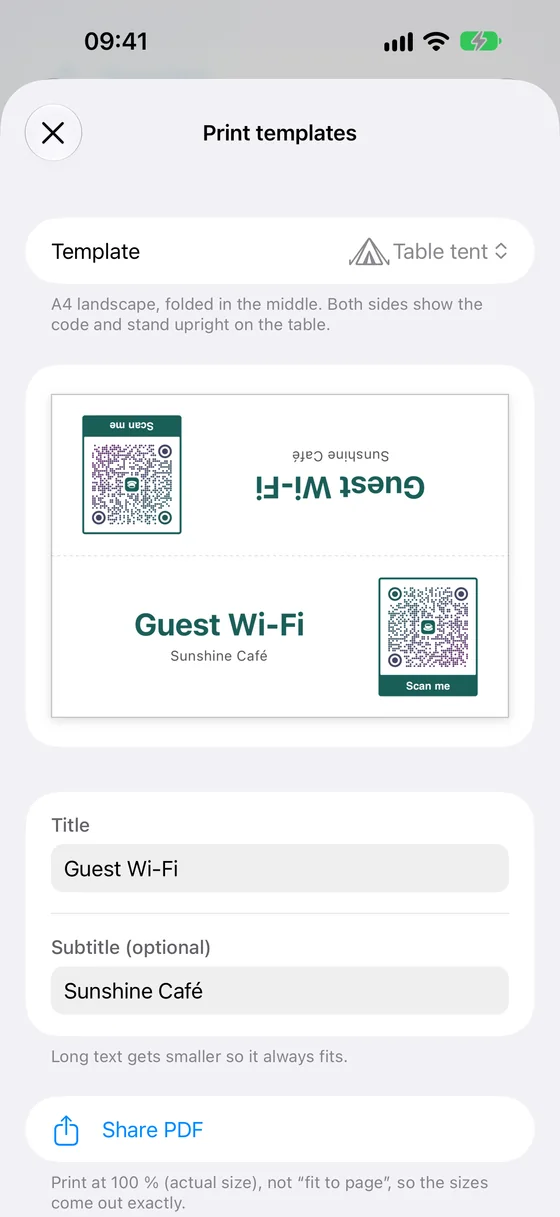
Print templates
Table tent, Wi-Fi card and label sheet. As a PDF with bleed for the print shop.
-
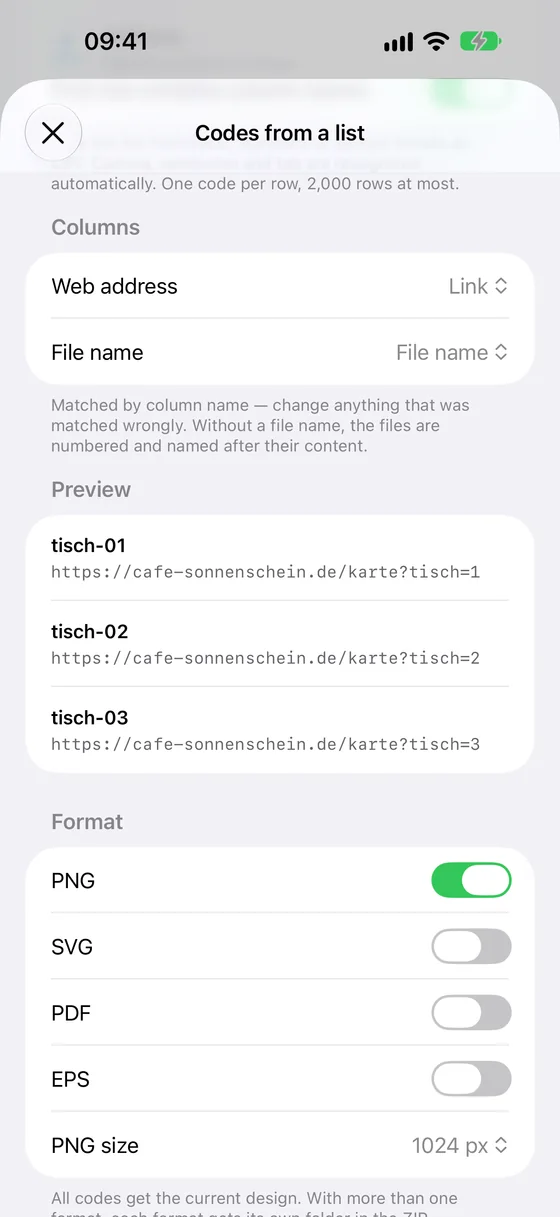
Many codes from one list
A CSV file from Excel or Numbers in, many codes out. As a ZIP with PNG, SVG, PDF or EPS.
-
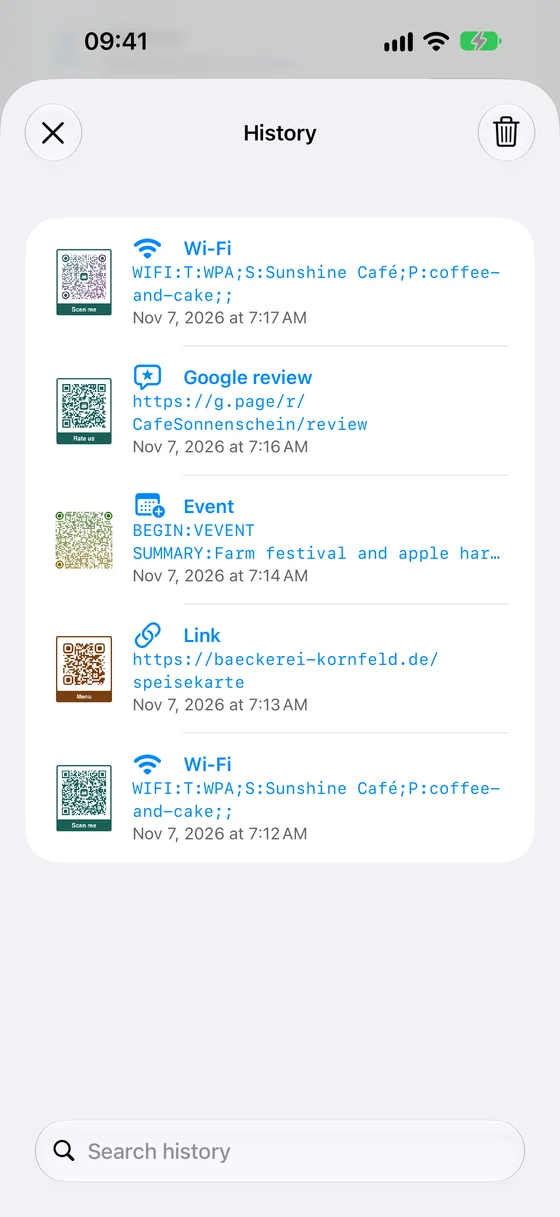
Templates and history
Save colour, logo and frame as templates, synced via iCloud. Every code you share lands in the history, searchable.
-
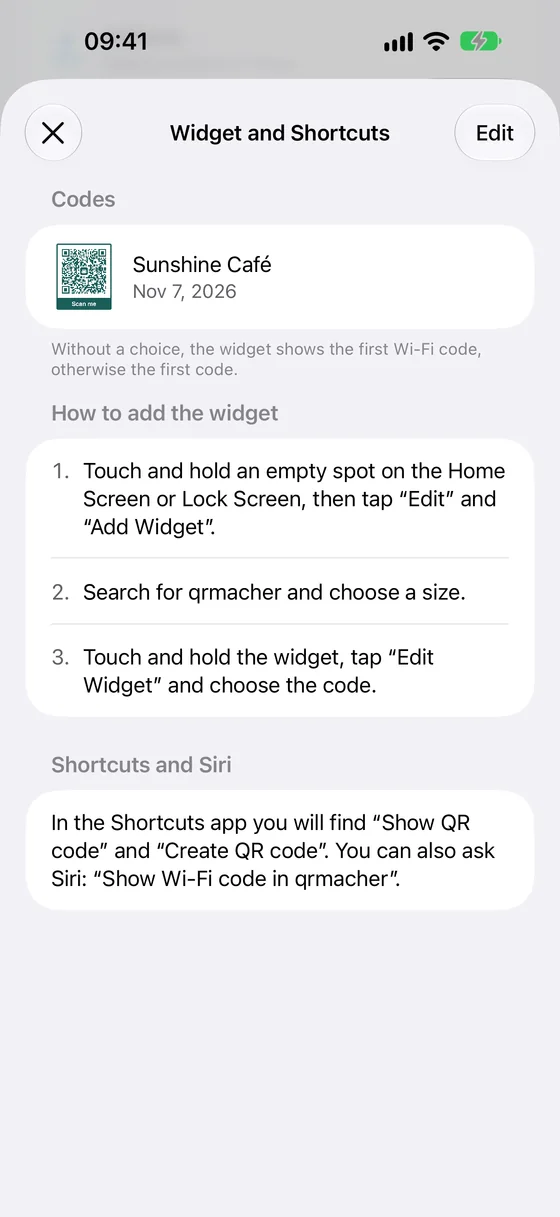
Widget and Siri
Your guest Wi-Fi as a widget on the Home Screen, plus Shortcuts and Siri.
-
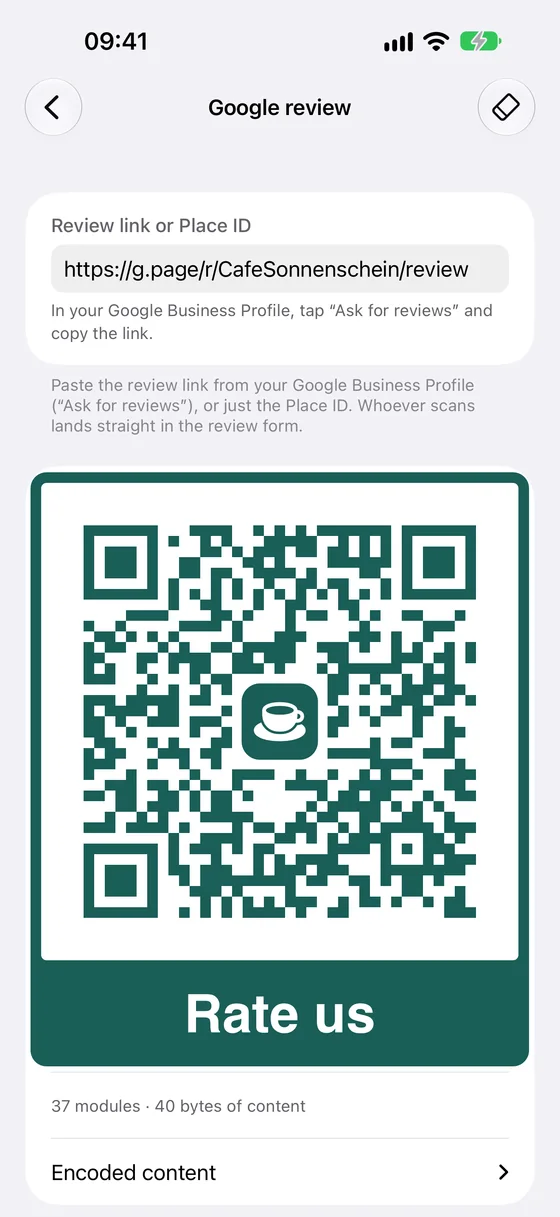
Two new kinds of codes
Google review for your business and event for the calendar.
Free, today and for good
- Nine kinds of codes
- Logo, colours and frame
- PNG, PDF, SVG and EPS
- Default design with logo
- iPhone and iPhone Duo
Pro, buy once
- Design styles and print templates
- Many codes from one list
- Templates with iCloud, and history
- Widget, Shortcuts and Siri
- Google review and event
Planned: a one-time €4.99, with Family Sharing.
Questions about the app
How much does the app cost?
Nothing. The app is free, with no ads and no subscription. Version 1.1 adds qrmacher Pro, a one-time purchase for professional tools. Everything the app does today stays free.
Do the codes ever expire?
No. The codes are static, the content sits in the code itself. There is no redirect that could be switched off. A printed code keeps working even if the app is gone one day.
Do I need an internet connection?
No. The app never connects to a server, the codes are made on the iPhone. Only the code itself may need a connection when scanned, for example if it opens a website.
Which devices does the app run on?
iPhone with iOS 26 or later, in English and German. On the unfolded iPhone Duo it uses the large screen.
Is qrmacher available for Android?
Not as an app. But the generator on qrmacher.de runs in any browser, Android included, and does the same: logo, frame, PNG, SVG, PDF and EPS.
May I use the codes commercially?
Yes. The codes are yours. Print them on flyers, menus, vehicles and packaging, with no licence and no watermark.
What happens to what I enter?
It stays on your iPhone. The app collects no data and has no account and no tracking. It only accesses Photos when you pick a logo.
When will qrmacher Pro arrive?
As soon as Apple approves version 1.1. There is no fixed date yet. The news page will have it first.
Your next code is a minute away.
Get qrmacher free on the App Store. Or make it right here in your browser.