Flea market · School fair · Club
Payments without small change
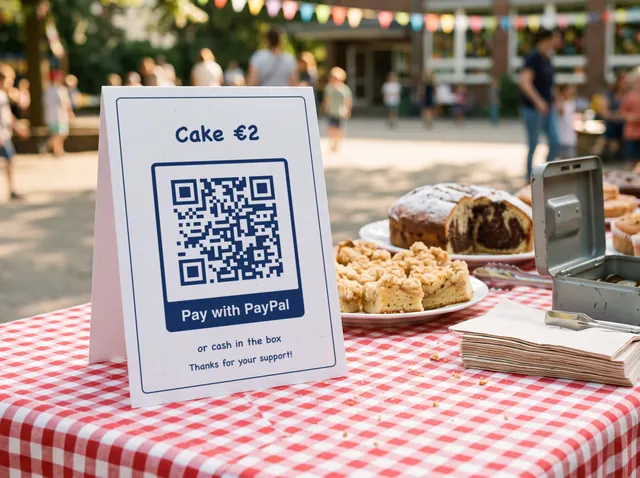
A code next to the cash box, and anyone without cash pays with PayPal. If you like, the amount is already filled in.
Free · no sign-up · no cookies
Create QR codes online, free and valid for good: for a link, a contact card, an address, Wi-Fi or a bank transfer, with a logo and a “Scan me” frame if you like. Download as PNG, SVG, PDF or EPS, ready for print and without a watermark. Everything happens in your browser, nothing leaves your device.
Pick a type, fill in the fields — the preview updates as you type.
Leave off https:// and we will add it for you. More on the link code
Stored as a vCard — phones turn it straight into a contact. More on the vCard
Coordinates pin the exact spot, but a plain address works too. More on the location code
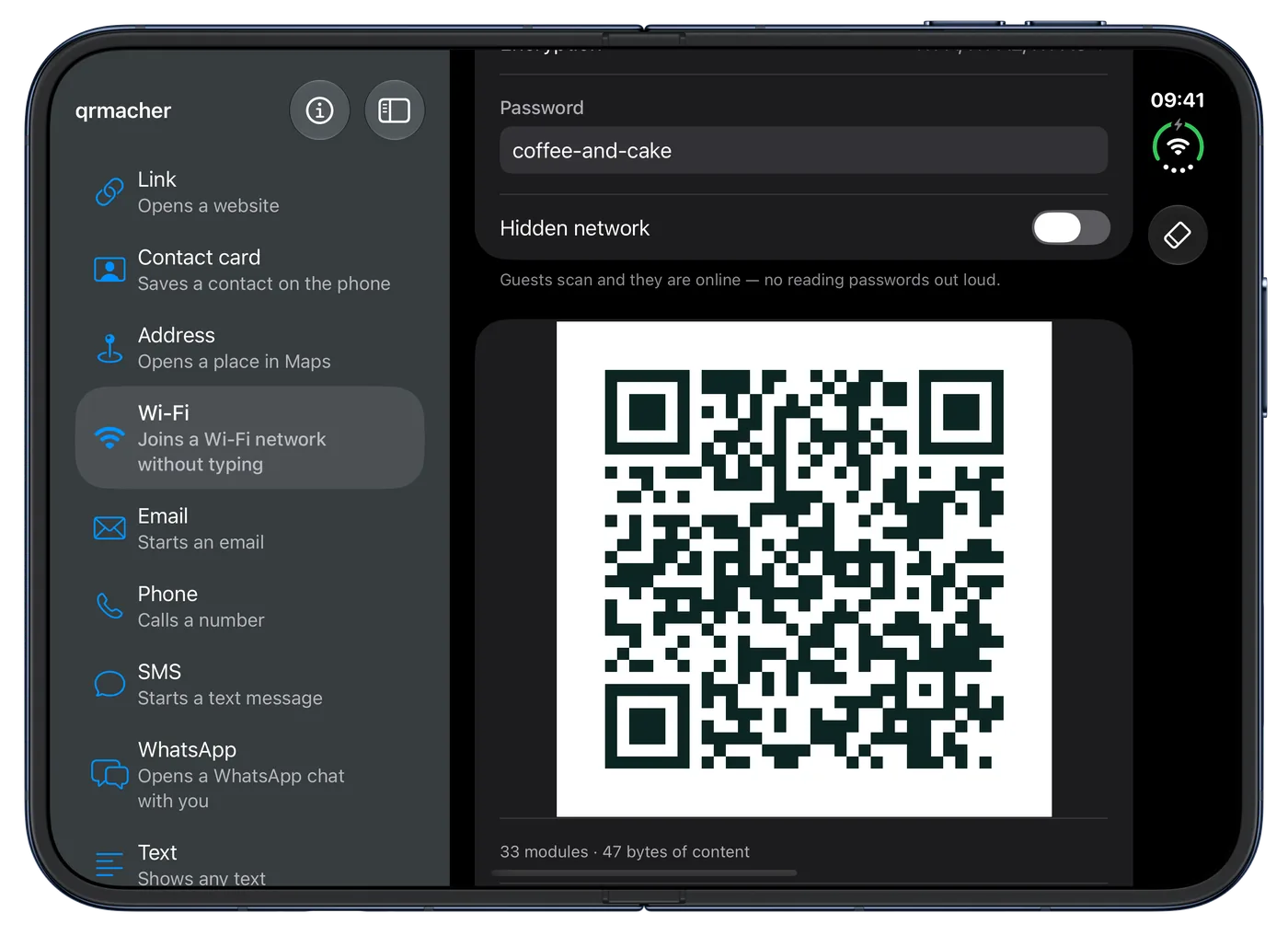
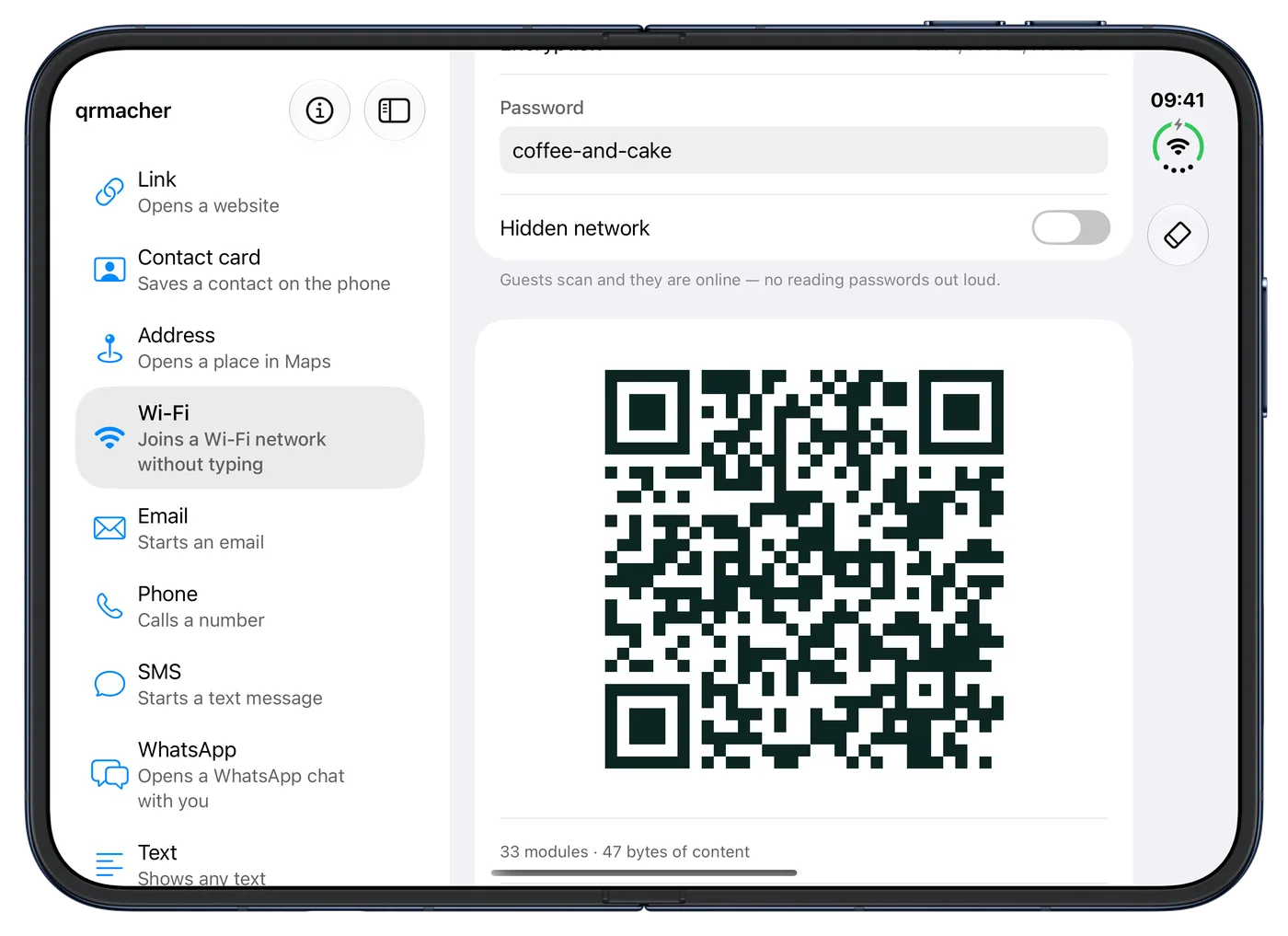
Guests scan and they are online — no reading passwords out loud. More on the Wi-Fi code
The banking app takes over payee, IBAN, amount and reference. Also known as EPC QR code or GiroCode. More on the transfer code
Exactly as registered with the bank — the payer’s bank checks that name and IBAN match.
Leave empty if the payer should enter the amount themselves.
Usually unnecessary: within the EU and EEA the IBAN is enough.
Such as an invoice or membership number, 140 characters at most.
A PayPal.Me link: whoever scans it lands on your PayPal page, with the amount filled in if you like. More on the PayPal code
You will find it in your profile in the PayPal app. The name alone is enough, a copied link works too.
Leave empty if the payer should type in the amount themselves.
Opens the mail app with the message prepared.
Starts a call to the number you entered.
Opens the messaging app with your text ready to send.
Whoever scans it lands in a WhatsApp chat with you, with a pre-filled message if you like. You can copy the finished link. More on the WhatsApp code
With the country code, e.g. +44 7700 900123. For a group, paste the invite link.
Already in the text field when someone scans. Nothing is sent until they tap Send.
Plain text that the scanner simply displays.
Fill in at least one field on the left and your QR code appears right here.
Use SVG, PDF or EPS for print. These vector files stay sharp at any size.
PNG, JPG, SVG or WebP, up to 2 MB. The file stays on your device, it is not uploaded.
Transfer codes stay without a logo: the standard requires error correction M, and with M a logo would be too risky.
The modules under the logo are left out. Test the code with two phones before printing, especially with “Large”.
Up to 24 characters. Emojis are left out so that PDF and EPS show the same text as the preview.
Higher levels survive scratches and logos but make the pattern denser.
For transfer codes the standard requires level M.
The light border is part of the code. Below 4 modules you are asking for trouble.
Background image: AI-generated
Popular use cases
Four occasions have a page of their own: with a matching generator, frame text and tips from practice.
Flea market · School fair · Club
A code next to the cash box, and anyone without cash pays with PayPal. If you like, the amount is already filled in.
Café · Practice · Trades
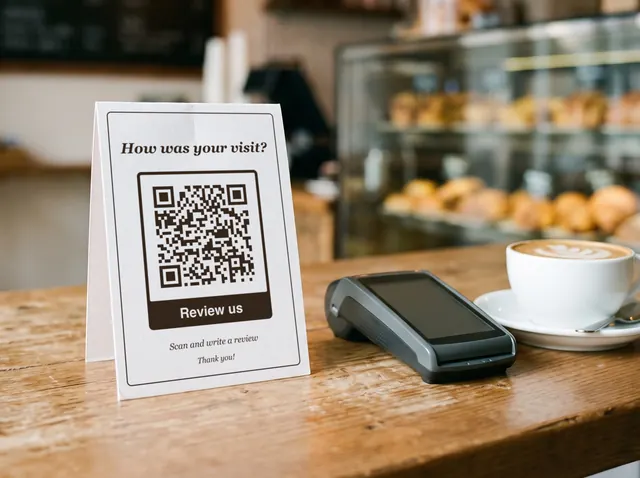
Happy customers scan after paying and land straight on your Google review, without having to look you up first.
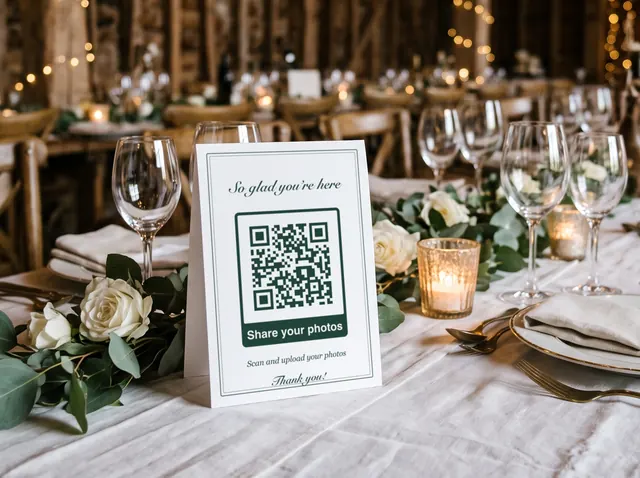
Wedding · Party · Celebration
A code on every place card leads to your upload folder. Guests share their pictures while the party is still going.
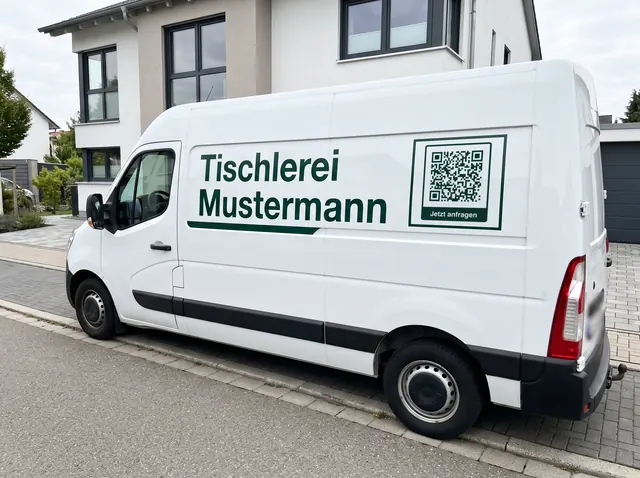
Trades · Delivery · Home care
A code on the side panel takes neighbours and passers-by to your website, even while you are working at a customer's.
Advertisement
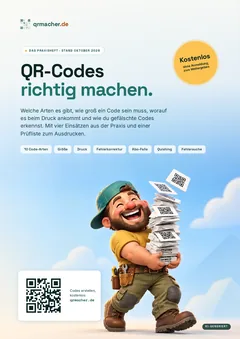
Free download · in German
Everything this site covers, in one handbook to look things up, print and pass on, with a checklist for the moment before your print run. The handbook is available in German only.
PDF in German, 26 pages, 3.7 MB. No sign-up, no email address.
The difference
A tool that does exactly one thing — and wants nothing from you in return.
Codes are built on your own device. Neither address nor phone number nor Wi-Fi password is transmitted — there simply is no server on our side that would receive them.
We generate static codes. The content sits in the pattern itself, not behind a redirect that we could switch off one day.
SVG, PDF and EPS for the print shop and the signage, PNG up to 2000 pixels for web and social. Colour, quiet zone and error correction are yours to set.
No subscription, no limit, no watermark and no email address we want from you first. The site is funded by advertising.
New on the App Store
QR codes that never expire, now as an app as well: for links, Wi-Fi, contact cards, addresses and more, with logo and frame, as PNG, PDF, SVG or EPS. What you enter stays on your iPhone.
Free, for iPhone with iOS 26 or later.
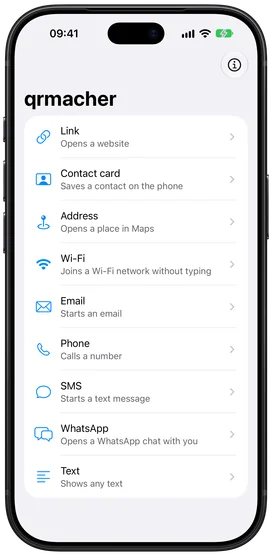
From version 1.0.2, qrmacher uses the large screen of the unfolded iPhone Duo: the kinds of code on the left, your code taking shape right next to them. Folded, the app works just like on any iPhone.
Advertisement
All eleven kinds
Not every QR code does the same thing. What sits inside the pattern decides what happens on scanning — whether a website opens, a contact is created or the phone joins a Wi-Fi network. Here is when each kind is the right one.
The most common case and the one with the most leverage: menu, directions, booking page, review page, instruction manual. Anything already on the web becomes reachable from paper.
Link · The shorter the address, the coarser the pattern — and the more reliably it scans from a distance. Long tracking parameters bloat the code for nothing. A tidy address on your own domain beats a 200-character campaign link every time.
More on the link codeName, company, phone, email and address in one code. The phone turns it straight into a contact — no retyping, no typos in the phone number. Worth having on a printed business card, a trade fair badge, a company vehicle or in an email signature.
Contact card · Every extra field makes the pattern denser. Fill in everything — including a note and a second phone number — and you get a code that is barely scannable at business card size. Keep to what is actually needed.
More on the vCardOpens the maps app at the right spot. Useful in a shop window, on an invitation, at a delivery entrance or on a sign pointing to the car park. Coordinates pin the exact place, which helps wherever the address alone is ambiguous: a depot, a building site, a festival ground, a forest car park.
Address · Without coordinates the address is passed on as a search query. That works reliably for an ordinary street address, but not for “the field behind the sports club”.
More on the location codeGuests scan and they are online — nobody has to read out a sixteen-character password or chalk it on a board. The classic in cafés, holiday flats, waiting rooms, workshops and clubhouses.
Wi-Fi · Use the guest network, not the main one. A code on the wall hands the password to everyone who enters the room — harmless on a guest network, rather less so on the one carrying your printer, till and file storage.
More on the Wi-Fi codePayee, IBAN, amount and reference in one code. The payer scans it with their banking app and only has to approve — no typing out 22 characters, no transposed digits. It belongs on invoices, donation appeals, membership fee letters and the note about the class fund.
Bank transfer · Enter the name exactly as it is registered for the account. Since October 2025 banks in the euro area check name and IBAN before every transfer and warn the payer when the two do not match.
More on the transfer codeOpens your PayPal.Me page, with the amount already filled in if you like. For flea markets, bake sales, club funds and splitting costs with friends: wherever there is no card terminal.
PayPal · For invoices and larger sums the bank transfer code is often the better choice, as a transfer usually costs nothing extra. With PayPal, the recipient pays a fee for goods and services.
More on the PayPal codeOpens the mail app with recipient, subject and body filled in. Good for support enquiries, feedback, applications or fault reports — anywhere incoming messages need sorting.
Email · A fixed subject line such as “Fault, unit 4711” saves more time at the receiving end than you would think: it turns a shapeless email into a case that can be filed.
One scan, one call. Belongs on out-of-hours notices, on machines with a spare-parts hotline, on site signage and anywhere someone may need to reach a person quickly.
Phone · Always store it with the country code (+49 rather than 0), otherwise the call fails from abroad or from a foreign mobile network.
Opens the messaging app with number and text ready. Useful for callback requests, sign-ups by text or meter readings — anywhere an app would be asking too much.
SMS · The message is prepared, not sent. That is deliberate: no scan should fire off a message on someone's behalf.
Opens WhatsApp in a chat with your number, with a pre-filled message if you like. For shops, workshops and practices, for notices when selling something, and with the invite link for club and class groups too.
WhatsApp · The number is in the code and visible to anyone who scans it. For notices, a business or second number is a better fit than your private one.
More on the WhatsApp codeThe scanner simply shows what is inside — no internet connection needed. Right for serial numbers, maintenance notes, care instructions, inventory numbers or explanatory text beside an exhibit.
Text · The only kind that works completely offline. That makes it the right choice in a cellar, an underground car park and anywhere without reception.
From practice
Most codes that fail were not generated wrongly — they were printed wrongly. Four things decide whether a code gets read in everyday use.
The rule of thumb is 1:10. To be scanned from two metres it needs roughly 20 centimetres per side. On a business card held in the hand, two centimetres is plenty. A construction fence banner read from ten metres needs a metre.
A clear area of at least four module widths must stay around the pattern. It is not decorative white space but part of the code — it is how the scanner knows where the pattern ends.
Scanners expect dark modules on a light background. The standard does allow light modules on dark, but older devices and some scanner apps do not recognise them. Colour is fine as long as the contrast stays clear — a deep teal on cream works, a mid grey on beige does not.
Matt paper beats gloss: reflective surfaces and protective film throw highlights that swallow modules in the camera image. Curved surfaces such as bottles or pipes distort the pattern. And the code has to be reachable — anything above two and a half metres does not get scanned, it gets overlooked.
Examples, print resolution and a calculator for your code: How big does a QR code need to be?
Troubleshooting
It is almost always one of these. Work through them in this order.
By far the most common reason. Check the 1:10 rule and enlarge if in doubt.
Four module widths of light border all round. If something sits too close, even a perfect pattern will not help.
Dark on light. Not every scanner reads light modules on a dark background, so such codes work only on some devices.
Gloss, protective film behind glass, or a bent surface. Print matt and apply flat.
Scratches, creases, dirt. For codes that will take a beating, set error correction to Q or H from the start — then they stay readable even with a piece missing.
The more characters, the finer the pattern and the larger the print has to be. Long texts belong on a web page, with only the link in the code.
A typo in the address, an expired page, a mistyped phone number. Always scan before you print — and scan the finished code, not the preview.
In detail, with a table and a checklist: QR code not scanning: finding and fixing the cause
From the guide
Size, error correction, troubleshooting and the question of which code you can trust. In depth, with examples and a calculator.
Seven questions, each with a 30-second test. Use them to check any generator yourself before a code goes to print.
The 1:10 rule of thumb is right, but only for short content. How reading distance, content and quiet zone fit together — with a calculator to try it out.
Why some free codes lead nowhere after the trial period, how to spot that before printing and how to keep the destination changeable anyway.
Parking meters with codes stuck over them, fake parking tickets, letters from your supposed bank. How the scam works and how to check a code before you open it.
Not scanning at all, only on some phones, or just showing text? Three questions help you find the cause, usually within a few minutes.
What the four levels mean, how much space they cost and why a logo in the middle is less harmless than it looks.
Good to know
Most of it comes down to print size, readability and whether a code eventually expires. These are the answers we give most often.
Write to us — you will get an answer from a person, not a form letter.
Send an emailLast updated:
What’s new?Yes. These are static codes: the content sits directly in the pattern. They keep working even if this site were to disappear one day — unlike providers that route through their own redirect and switch it off when a subscription lapses.
Nothing. There is no paid tier, no limit and no watermark. The site is funded by advertising.
No. Generation happens entirely inside your browser. Your input is never transmitted to us and we do not store it anywhere.
SVG, PDF or EPS. All three are vector files and stay razor sharp at any size, from a business card to a construction fence banner. Which one depends on the software: print shops usually take PDF, older layout programs EPS. PNG is the right choice for websites, slides and social media.
Yes, under “Logo, frame and colours” in the generator. Your browser reads the logo itself; it is not uploaded. To keep the code readable, error correction H is then fixed and the logo covers at most a quarter of the side length. If you like, there is also a frame saying “Scan me” or your own text.
A rule of thumb is one tenth of the reading distance: to be scanned from two metres away it needs roughly 20 centimetres per side. Two centimetres is plenty on a business card. The light quiet zone around it matters just as much.
Almost always one of three things: too little contrast between foreground and background, a missing quiet zone at the edge, or a print size that is too small. Light modules on a dark background can also be the cause, because not every scanner reads them — swap the colours around.
Not with a static code, because the content lives in the pattern. If you want to change the destination later, encode a short URL on your own domain and redirect that. The printed code stays valid and you only change where it points.
Yes, without restriction and without attribution. The codes you generate are yours. “QR Code” is a registered trademark of DENSO WAVE; the standard itself is free to use.