Flea markets and bazaars
On the table next to the cash box. People without cash on them can still buy, and you don’t need a card terminal. Leave the amount open, it changes with every item.
PayPal · PayPal.Me
Your PayPal.Me link as a QR code: whoever scans it lands straight on your PayPal page, with the amount already in the payment field if you like. For flea markets, bake sales or your club’s funds. Free, no sign-up and ready to print as PDF or SVG.
Last updated:
Enter your PayPal.Me name, and the amount only if it is fixed. The preview shows the code as you type.
A PayPal.Me link: whoever scans it lands on your PayPal page, with the amount filled in if you like.
You will find it in your profile in the PayPal app. The name alone is enough, a copied link works too.
Leave empty if the payer should type in the amount themselves.
Enter your PayPal.Me name — the code appears straight away.
Use SVG, PDF or EPS for print. These vector files stay sharp at any size.
PNG, JPG, SVG or WebP, up to 2 MB. The file stays on your device, it is not uploaded.
Transfer codes stay without a logo: the standard requires error correction M, and with M a logo would be too risky.
The modules under the logo are left out. Test the code with two phones before printing, especially with “Large”.
Up to 24 characters. Emojis are left out so that PDF and EPS show the same text as the preview.
Higher levels survive scratches and logos but make the pattern denser.
For transfer codes the standard requires level M.
The light border is part of the code. Below 4 modules you are asking for trouble.
Advertisement
How it works
In the PayPal app, your link is in your profile, such as paypal.me/JaneDoe. If you don’t have one yet, create it there once. Choose the name with care: it cannot be changed afterwards.
With an amount, the sum is already in the payment field when the code is scanned, say €2 for a slice of cake. Without one, the payer types it in themselves. That suits flea markets and tips, where every amount is different.
As PDF or SVG for signs and stands, as PNG for group chats and websites. Scan it once yourself before printing: if your name appears on the PayPal page, the code is right.
Uses
On the table next to the cash box. People without cash on them can still buy, and you don’t need a card terminal. Leave the amount open, it changes with every item.
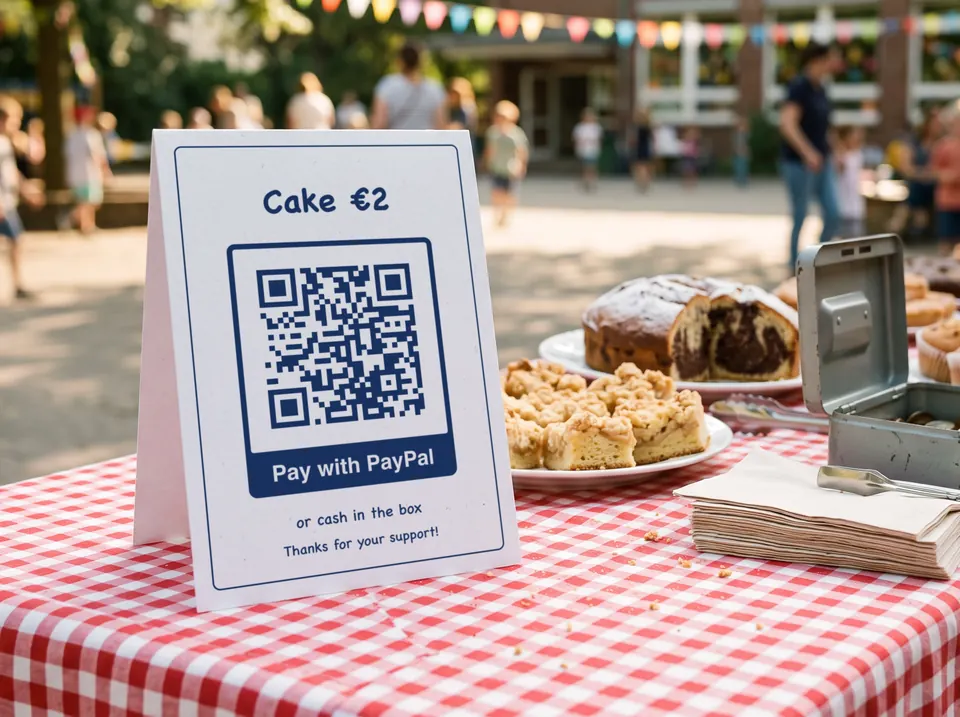
One code with a fixed amount per item: cake €2, coffee €1.50. Parents scan and confirm, and nobody has to count coins in the evening.
Everyone’s share of the outing, the team kit or the present for the coach: one code in the group chat or on the noticeboard at the clubhouse, and nobody asks three times for the account number.
Splitting the restaurant bill, the concert tickets or the petrol after a trip. The code doesn’t need to be printed for this, the picture on your phone screen is enough.
A sign on the guitar case or next to the pictures. People who would like to give something but have no change on them can scan. Without an amount, everyone decides how much.
For a market stall a few times a year or selling from your workshop. If you sell regularly, you should know the fees: more on that further down.
What is in the code
The code only holds the link to your PayPal.Me page. No account details and no access to your account: the payment happens in the payer’s PayPal app. The link has three parts:
The code lets people send you money, nothing else. Nobody can take money out or look into your account with it. As a payer, though, it is worth a look before you confirm: does the PayPal page show the name you expect? A code stuck over the original with someone else’s account is a known trick.
In practice
“Friends and Family” payments within Germany in euros are free with PayPal. If you are selling something, get paid for “Goods and Services”. Then Purchase Protection applies, and the recipient pays a fee: for payments within Germany, 2.49% plus €0.35 per payment according to PayPal (fee page, as of 7 September 2026). A business account only accepts this kind of payment.
For invoices, membership fees and larger sums, the GiroCode is often the better choice. The banking app takes over payee, IBAN, amount and reference, and a bank transfer usually costs neither side anything extra. There is no Purchase Protection with it, though.
The PayPal app has a QR code of its own too, and PayPal lists separate rates for QR code payments in its fee table. PayPal decides which payments fall under them. If you sell regularly, compare them first. The code from here is your PayPal.Me link, at any print size, with amount, frame and logo.
Write your PayPal.Me name and the amount in small print under the code. Then the payer can see who the money goes to before scanning, and anyone who can’t scan can type in the link.
Good to know
The transfer code fills in payee, IBAN, amount and reference in the banking app. Often the better choice for invoices and membership fees.
To the transfer codeNot from us: it is free, with no sign-up and no watermark. Any fees are charged by PayPal alone, depending on the type of payment. “Friends and Family” payments within Germany in euros are free; for payments for “Goods and Services”, the recipient pays a fee.
Yes. Enter it in the “Amount” field, written the way you’re used to. The code then leads to your PayPal page with that sum in the payment field. For different prices you make different codes, such as one for cake and one for coffee.
In the PayPal app or on paypal.com, in your profile. If you don’t have one yet, you can create it there. The name cannot be changed afterwards, so for a club it is worth choosing it together.
No. The code only holds the link to your PayPal.Me page. It lets people send you money, but they can neither take money out nor see your account. Your password and account details are nowhere in the code.
That depends on what it is for. PayPal is convenient for small amounts, and Goods and Services payments come with Purchase Protection, but the recipient pays a fee. The GiroCode starts a bank transfer in the banking app, usually without fees, but also without Purchase Protection. For invoices and membership fees it is often the better choice.
No. The code is static and does not run through our server. It works as long as your PayPal.Me link exists. If the price changes, print a new code, because the old one still leads to the old amount.
For the donation box at the summer party or a collection among friends, yes. If you collect donations regularly, as a non-profit club for example, take a look at PayPal’s own donation pages. You can print their link as a code here just the same, with the link code.